
Touch Typing Practice: Complete Beginner to Professional Guide
Master touch typing with this complete guide. From home row basics to advanced speed techniques, follow this structured path from complete beginner to professional typist.
Last updated: May 16, 2026
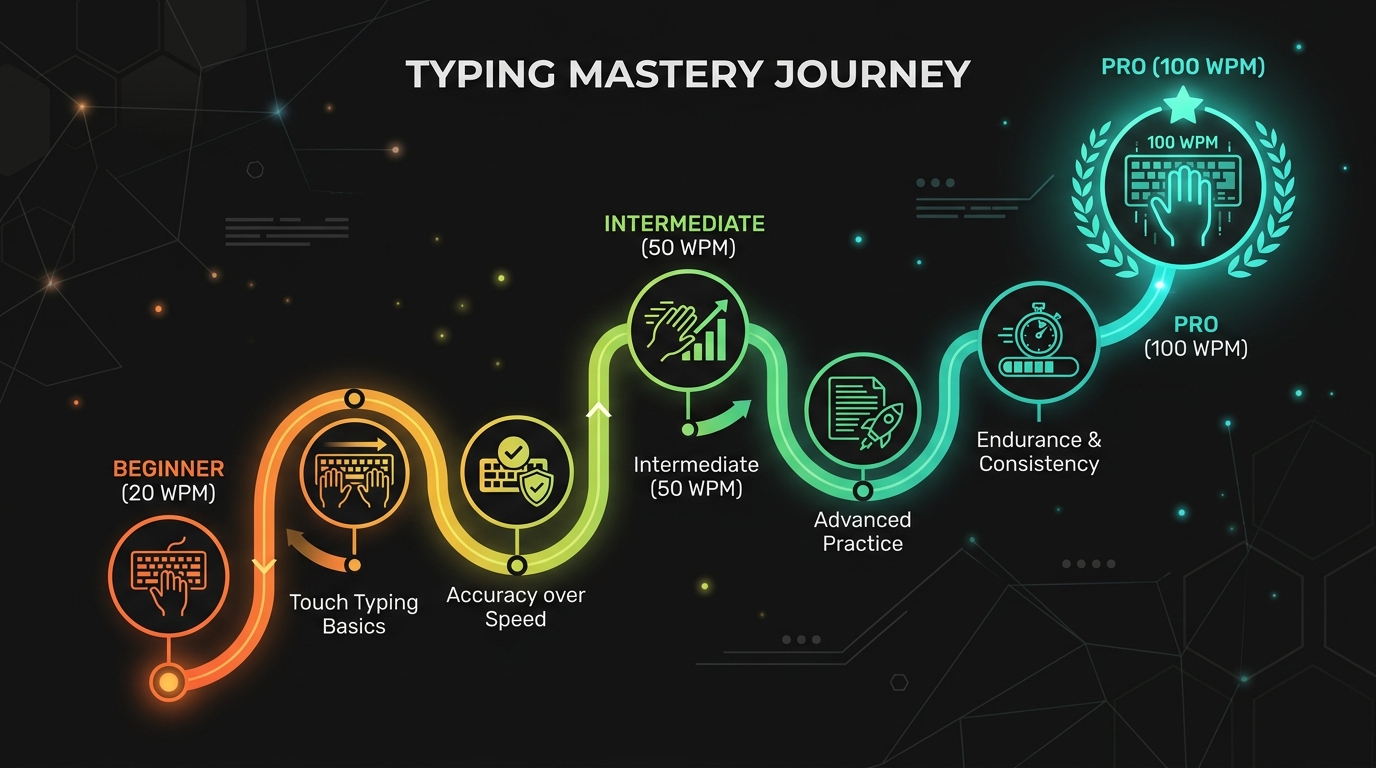
Touch typing is the ability to type without looking at the keyboard using all ten fingers. It is the single most impactful skill you can develop for improving your typing speed and accuracy. To accompany this guide, we recommend practicing with our free, step-by-step touch typing lessons course, which provides instant visual guidance and unlocks keys progressively.
What Is Touch Typing?
Touch typing uses muscle memory rather than visual guidance to find keys. Your fingers learn the position of each key through repetition, allowing you to maintain visual focus on the screen. The foundation is the home row position, where your fingers rest on A, S, D, F for the left hand and J, K, L, semicolon for the right hand. From this anchor, each finger reaches up and down to its designated zone of keys. The tactile bumps on the F and J keys help you find the home position without looking.
Stage 1: Beginner Foundation (Weeks 1 to 4)
Your goal in the first month is to learn proper finger placement and break the habit of looking at the keyboard. Start each session by placing your fingers on the home row and saying the key names aloud. Practice home row keys exclusively for the first week. Type asdf jkl semicolon repeatedly until the motion feels natural. Add the top row gradually, learning which finger reaches to which key. Do not worry about speed. Your accuracy goal is 90 percent or higher. Expect to feel frustrated and slow. This is normal and passes within two to three weeks. Practicing 15 minutes daily at this stage.
Stage 2: Building Muscle Memory (Weeks 5 to 8)
By week five, you should know which finger presses each key without thinking consciously. Now focus on building reliable muscle memory. Practice with short common words to develop word-level automaticity. Words like the, and, for, was, and but contain common letter patterns that appear frequently. Use typing tests in 30-second mode to measure your developing speed. Your speed goal is 25 to 35 WPM with accuracy above 92 percent. If you are below this, spend extra time on the home row and top row exercises.
Stage 3: Speed Development (Weeks 9 to 16)
At this stage, you have reliable muscle memory for most keys. Now you can focus on speed. Use burst training with 15-second tests where you type as fast as possible. Review your results to identify where you hesitate. Practice those specific letter combinations. Add punctuation to your practice to prepare for real-world typing. Your speed goal is 40 to 55 WPM with accuracy above 94 percent. At this speed, you are typing at or above the professional minimum for most office roles.
Stage 4: Advanced Techniques (Weeks 17 to 24)
Advanced touch typing involves minimizing finger movement and developing rhythm. Practice reading ahead by keeping your eyes focused on upcoming words rather than the word you are currently typing. Focus on maintaining a steady rhythm rather than bursting and pausing. Practice with varied content including technical documentation, literary passages, and symbol-heavy text. Your speed goal is 60 to 75 WPM with accuracy above 95 percent. This is the range of experienced administrative professionals and transcriptionists.
Stage 5: Professional Mastery (Months 6 to 12)
Professional-level touch typing requires sustained high speed with minimal errors. Practice with 60-second and 120-second tests to build endurance. Work on eliminating your last remaining weak keys through targeted drills. Consider learning alternative layouts like Colemak or Dvorak if you want to push beyond typical QWERTY limits. Your speed goal is 80 to 100 WPM with accuracy above 97 percent. At this level, typing is an automatic skill that requires minimal conscious attention.
Common Touch Typing Mistakes to Avoid
Looking at your keyboard is the most common barrier to touch typing progress. If you find yourself looking down, cover your hands with a cloth or use a blank keycap set. Using improper finger reaches creates awkward patterns that limit top speed. Ensure each finger stays within its assigned zone. Neglecting the number row and symbol keys leaves you unprepared for real-world typing that includes them. Include numbers and punctuation in your practice from stage two onward. Inconsistent practice produces slow progress. Fifteen minutes daily is far more effective than two hours once per week.
Conclusion
Touch typing is a learnable skill that follows a predictable progression from awkward beginner to fluent professional. The key factors are consistent practice, focus on accuracy before speed, and deliberate attention to weak areas. With daily practice of 15 to 20 minutes, most typists can reach professional-level speeds within six to twelve months. The effort is well worth the return, as touch typing will make you more productive in virtually any computer-based role for the rest of your career.